A design canvas for coding agents.
Framio runs inside your coding agent, in your repo. It reads your code, your theme, and your live pages, so new screens and redesigns start from what you've built. Click what's wrong and it fixes the file.
curl -fsSL https:/
- Claude Code
- Codex
- OpenCode
- Cursor
- Grok CLI
- Antigravity
It already knows your product.
Framio runs inside your coding agent, in your repo. Before it draws anything, it reads the code, theme, and pages you already have.
Use Framio to design the onboarding for my invoicing app.
- Read README.md
- Read package.json
- Asked 4 questions about users and tone
- Saved 8 references to 01-moodboard/
- Wrote .framio/BRIEF.md
- Made 3 directions in 02-directions/
Waiting for you to pick a direction.
- README.md
- package.json
- src/
- .framio/
- BRIEF.md
- pages/01-moodboard/
- pages/02-directions/
Designs land in .framio/, next to your code.
Ask. Point. Ship. How to design UI with Claude Code or Codex.
1 Install Framio
One command, then framio init. It adds a .framio folder to your project and installs the skill your agent reads.
- A single binary, no account
- Adds .framio/ with React, Tailwind, and shadcn/ui
- Installs the skill for Claude Code and Codex
2 Ask in one sentence
"Use Framio to design the onboarding for my invoicing app." Your agent reads your repo first, asks only what it can't find there, and writes each screen as a .tsx file.
- Reads your repo before it asks
- Collects references on a moodboard
- Shows two or three directions to pick from
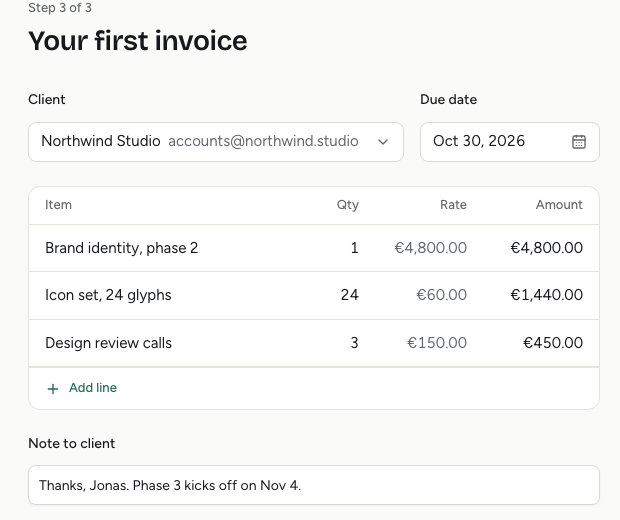
3 Point at what's wrong
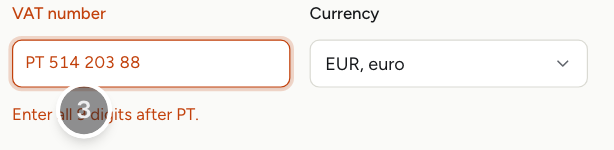
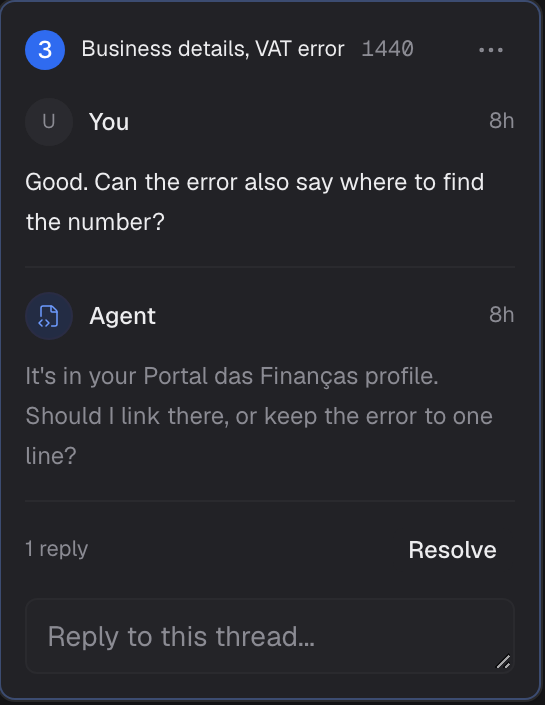
Click it, or pin a comment. Your agent gets the exact layer you picked and what you wrote. It replies in the thread and edits the file.
- A click selects the nearest named layer
- Comments live in .framio/comments.json
- The agent replies, fixes, and resolves
4 Ship it
"Build it in the app." Your agent moves the design's theme and components into your codebase, swaps mock data for real data, and compares your app with the design at every width until they match.
- Moves DESIGN.md tokens into your theme
- Replaces mock data with real data
- Screenshots app and design side by side
measured on apple m4 · v0.0.7
Fast enough to keep up with your agent.
One binary. Your designs stay in your repo. Nothing to sign in to, nothing to sync.
100ms
Your agent saves a frame and the canvas has the new version a tenth of a second later. You never wait on it.
- save 1
- save 2
- save 3
- save 4
- save 5
median 102 ms
0.6s
From framio start to a live canvas.
6s
First framio init, packages included. 0.4 s after that.
33MB
One download for macOS. No Electron app, no account, no cloud.
No handoff. The design is React and Tailwind code in your repo.
Every width at once. One file renders at desktop and mobile side by side, and a click tells your agent which width you meant.
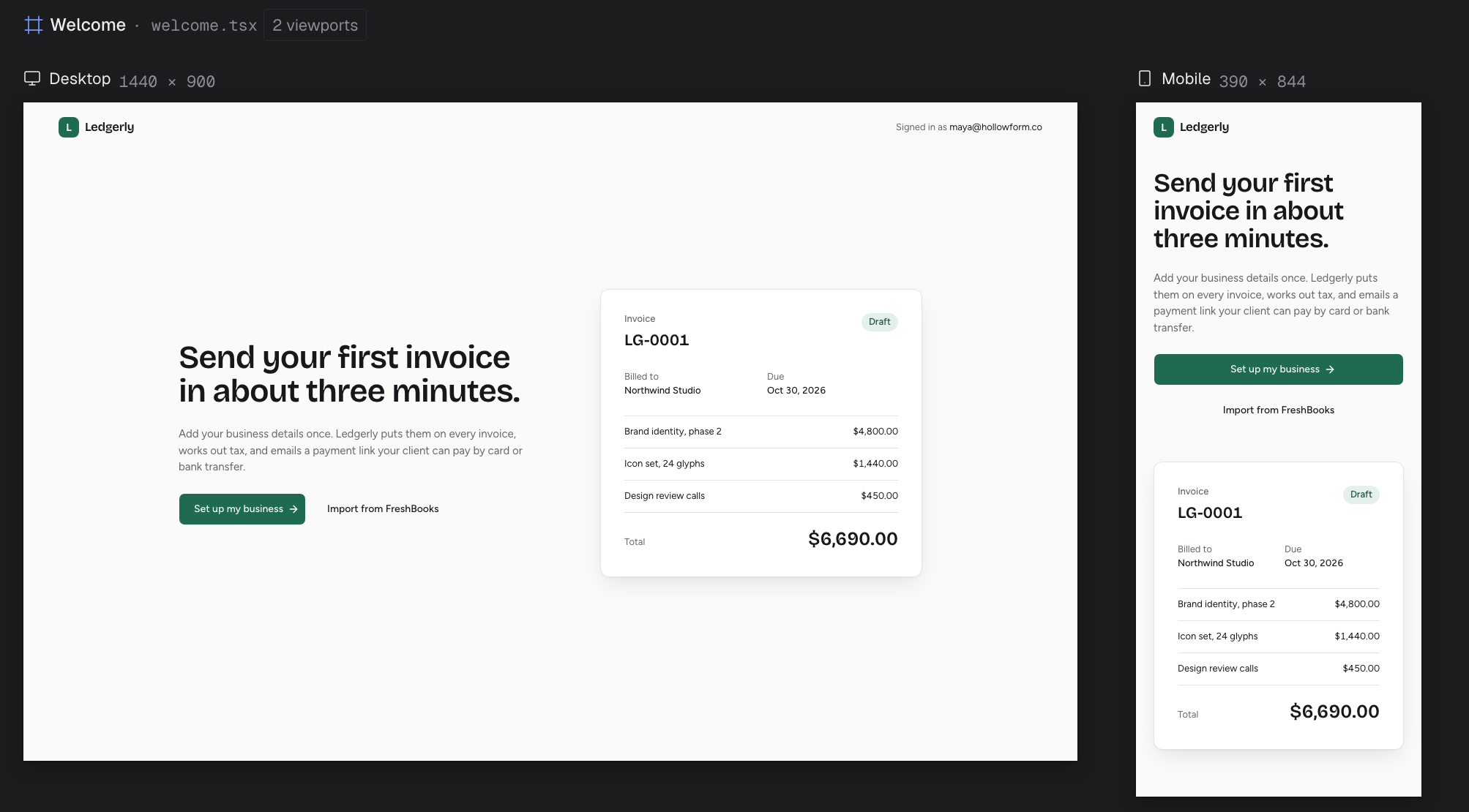
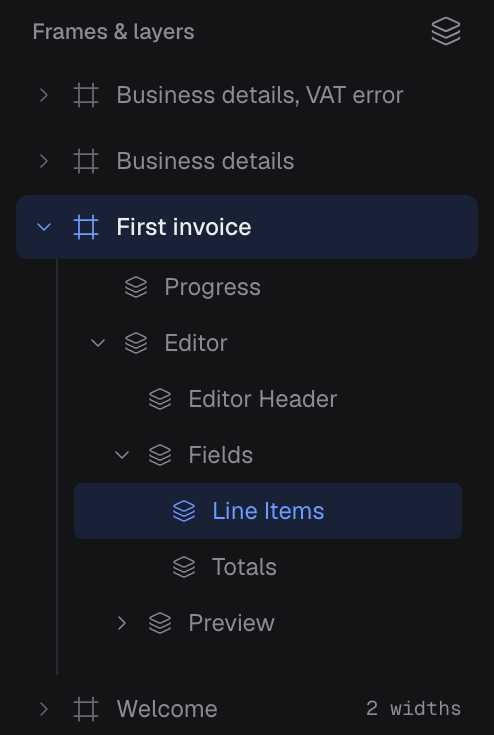
Layer-accurate notes. Click inside a frame and Framio selects the nearest named layer. Your agent gets that element, not your best description of it.
One DESIGN.md. Colors, fonts, and radii live in one file. Edit it and every frame restyles on save.
Checks its own work. framio inspect flags overflow, misalignment, contrast, and tap targets before you see the frame.
Real components. Frames start with shadcn/ui, and your agent can add blocks from shadcn registries.
Plain files. Designs are .tsx files and comments are JSON, all in your repo. Diff them and review them in a PR.
Fair questions. What people ask about Framio.
What is Framio?
Framio is a free, open-source design canvas for coding agents. Your agent writes screens as React and Tailwind files in .framio/, and Framio renders them on a canvas where you select elements and pin comments for the agent to fix.
How do I design UI with Claude Code?
Install Framio, run framio init in your project, and ask Claude Code to "use Framio to design the onboarding for my invoicing app." It asks about the product, writes each screen as a .tsx file, and you review the screens on the canvas. Codex works the same way.
Can Framio redesign my existing app?
Yes. Ask your agent to "use Framio to redesign our pricing page." It screenshots the running page onto a moodboard, writes DESIGN.md from your current colors and fonts, and changes what you asked for. When you pick a design, it builds it in your app and compares the two at every width.
Will new designs match my current design system?
Your agent reads your code, theme, and copy before it designs, and records your colors, fonts, and radii in DESIGN.md. Every frame uses those tokens. Frames are built with shadcn/ui instead of importing your app's components, and your agent moves the design into your components when you ship it.
Which agents does Framio work with?
framio init installs the skill in .claude/skills for Claude Code and .agents/skills for Codex. Other agents that read either folder, such as OpenCode, Cursor, Grok CLI, and Antigravity, can use it too.
How fast is Framio?
Measured with v0.0.7 on an Apple M4, framio start serves the canvas in about 0.6 seconds, and a saved frame rebuilds in about 100 milliseconds. The first framio init takes about 6 seconds while it downloads packages, and under half a second after that. The macOS download is 33 MB.
Is Framio a Figma alternative?
For developers who design with a coding agent, often yes. Framio has no drawing tools. Your agent writes the design as code, and you review it by clicking and commenting. If your team draws designs by hand, keep Figma for that.
Is Framio related to Frame.io?
No. Framio is an independent, open-source design canvas for coding agents. Frame.io is Adobe's video review platform.
Does Framio change my app's code?
Not while you design. Designs live in .framio/. When you pick one, ask your agent to build it in your app. It checks the result against the design with framio screenshot --url <app-url> --compare <page>/<frame>.
What operating systems does Framio support?
Framio runs on macOS on Apple Silicon and Linux on x64 or arm64. Intel Macs and Windows are not supported. framio add also needs Node.js.
Can my agent use existing components?
Frames start with React, Tailwind, and shadcn/ui. framio add pulls components from shadcn registries, and framio install adds npm packages to the design project.
How do I update Framio?
Use the update control in the canvas or run framio upgrade. The canvas and CLI share downloads and progress. Download first, then install when you are ready and restart the project to use the new binary. Rollback is available with framio upgrade --rollback. Binary updates do not change your project's skills, dependencies, themes, or designs.
Is Framio free?
Yes. Framio is free and open source under the MIT license. It is one binary with no account or subscription, and you run the canvas on your own computer.
Stop describing pixels.
Let your agent show you before it ships. Install Framio, run framio init in your project, and ask for the screen you're about to build.
curl -fsSL https:/